
Rise and Shine! A Student's Guide to Starting Virtual School Strong
Starting a new school year is exciting — and if this is your first time in a virtual classroom, maybe a little nerve-wracking too. That's completely normal, and it doesn't mean you're doing it wrong. Every student who's ever succeeded in online learning started exactly where you are now: at the beginning.
This guide is built for you, not just the adults in your life. It covers the tools worth setting up now, real advice from students who've been there, and a few systems that make the whole year easier.
What's the Hardest Part of Starting Virtual School?
Most students say the hardest part isn't the coursework — it's building a routine without the built-in structure of walking into a physical classroom every day. The good news is that building a routine is a skill you can build in the first two weeks, and it gets easier fast once it clicks.
A few common concerns worth naming out loud:
Missing the social side of a traditional classroom
Staying motivated without a teacher physically in the room
Figuring out how to ask for help when you can't just raise your hand
Knowing whether you're "on track" without daily in-person feedback
Every one of these gets easier with the right tools and a little practice. Let's build your toolkit.
Build Your Toolkit Before Day One
Set these up before your first live class, not during the first week when everything already feels new:
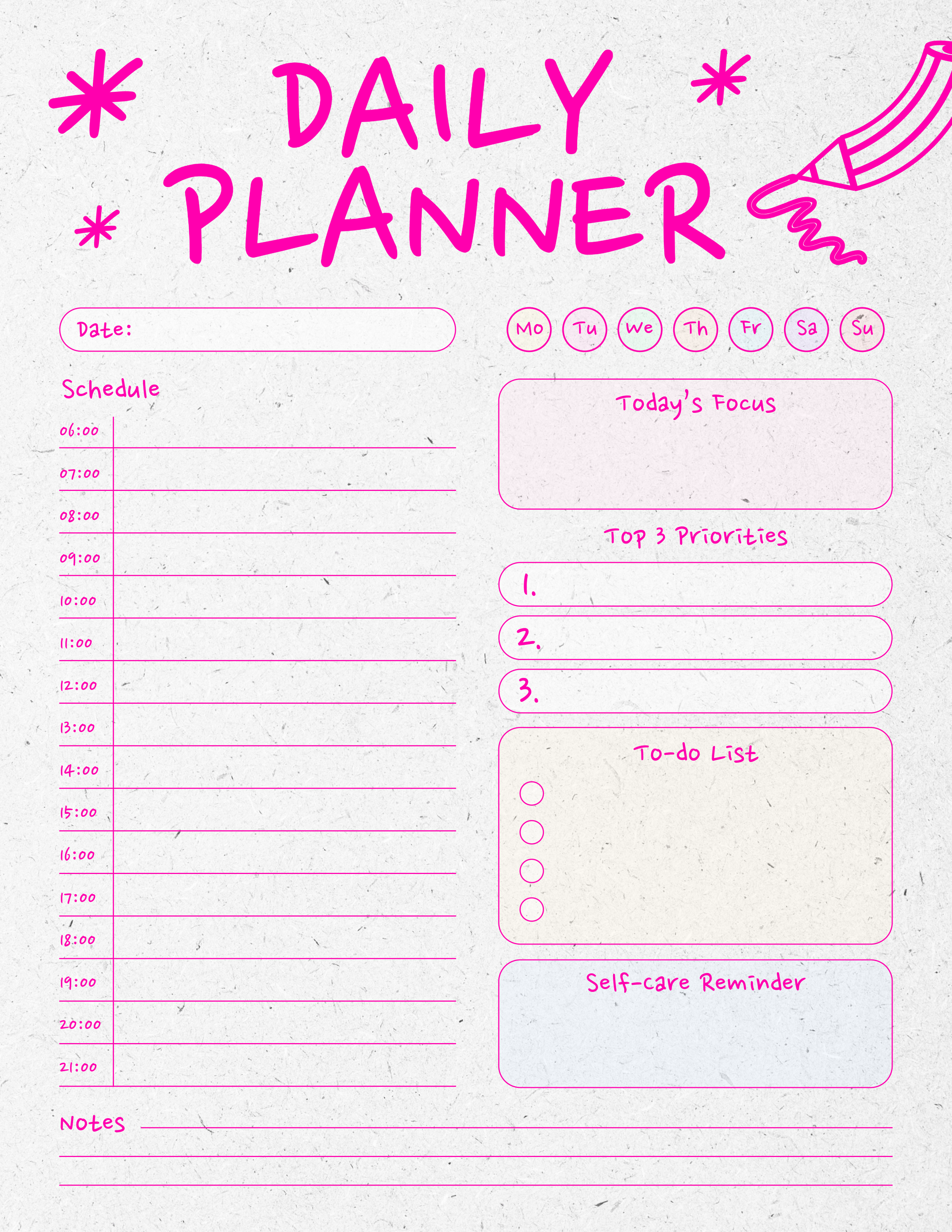
A calendar you'll actually use. Whether it's a physical planner or a shared Google Calendar with color-coded classes, pick one system and commit to it.
A daily checklist template. A simple list of "what's due today" beats trying to hold your whole week in your head.
A note organizer. One notebook or one digital folder per subject keeps you from hunting through a messy desktop the night before a test.
A desk set up to help you focus. Even a small corner works, as long as your supplies are within reach and it's a spot your brain associates with "focus time."
Here are a few downloadable examples of what you can use to keep your virtual world organized.
Tips From a Student Who's Actually Done This

Virtual learning can feel overwhelming, frustrating, and even tiring at times — and it's worth knowing that's a shared experience, not a sign something's wrong with you. A college student writing about her own experience with fully virtual classes shared a few habits that made a real difference:
Be kind to yourself.
It's easy to feel like you're not doing "enough" when your whole day happens on a screen. Everyone adjusting to virtual learning is figuring it out as they go — you're not behind, you're learning a new format.
Protect your participation and attention.
A few small habits go a long way:
Put your phone on silent — or in another room entirely — during class or focused work time.
Find a quiet spot with headphones in if your house gets noisy.
Use the chat feature in live sessions as a way to participate, even on days you don't feel like talking out loud.
Don't be afraid to contact your teachers.
At Stellar Oaks our teachers are genuinely understanding about the challenges of online learning — spotty Wi-Fi, cameras that feel awkward, days that don't go as planned. That’s why we build one-on-one sessions with teachers into your virtual school schedule. Even outside of those meetings, you can use office hours and keep teachers updated via email.You’ll also have your Success Specialist, who acts as a resource for families from the time they enroll to the time they graduate. Your Success Specialist is there to support you, and is just an email away.
Give yourself permission to take real breaks.
If you notice yourself getting anxious or overwhelmed, step away for a few minutes. A short walk, a snack, or even a quick video break can reset your focus better than powering through.
Systems That Make the Whole Year Easier
Once your toolkit is set up, a few simple systems can help you stay ahead instead of catching up. According to Penn LPS Online, poor time management tends to show up as procrastination — which often comes from feeling overwhelmed and not knowing where to start. Here are a few ways to get past the starting line:

The Pomodoro Technique: Work in focused 25-minute blocks, followed by a 5-minute break. After four rounds, take a longer break. It's especially useful if you tend to lose focus partway through an assignment.
Eat the Frog: Do your least favorite or hardest task first thing in your school day. Everything after it feels easier by comparison — and you get a real sense of accomplishment early.
Time blocking: Instead of a vague "do homework sometime today," assign each task its own chunk of time on your calendar, breaks included.
You don't need to use all three. Try one for a week and see how it fits.
For Students Who Learn Differently
If checklists, timers, and structure genuinely help you focus, you're not alone — and it's not just an "ADHD thing," even though those strategies are often built with ADHD brains in mind. ADDitude notes that making information and time external — using sticky notes, apps, visible clocks, and reward systems — helps compensate for the mental load of tracking everything in your head. If you find yourself constantly losing track of assignments or deadlines, try:
Writing tasks down the moment they're assigned, instead of trusting you'll remember
Using a visible timer during work blocks
Building in a small reward after finishing something you were dreading
Lay out visually which assignments are due and when — a whiteboard or sticky notes work great.
If you find yourself anxious or spiraling, a short break — not an hour-long one — is usually the right call.
How to Ask for Help When You Can't Raise Your Hand
One of the biggest adjustments in virtual school is that asking for help takes a little more initiative. Nobody can see confusion on your face through a screen unless you say something. That's not a bad thing — it just means the habit has to be intentional.
A few scripts worth having ready:
During a live class: "Can you go over that last part again? I want to make sure I have it right." Chat features make this even easier if you're not ready to unmute.
In an email: "I'm working on [assignment] and I'm stuck on [specific part]. Could you point me in the right direction, or is there a time I could talk it through with you?" Specific questions get specific, faster answers than "I don't get it."
When you're falling behind: "I've gotten behind on this class and want to make a plan to catch up — can we talk about my options?" Teachers consistently say they'd rather hear this early than find out later.
The earlier you build the habit of asking, the less scary it becomes. By the second or third time, it's just part of how you do school.
How to Set Personal Goals
Goals set by someone else rarely stick. Goals a student actually chooses tend to hold up much better across a full school year. Before classes start, take a few minutes to write down two or three goals that actually feel meaningful — not "get better grades" in the abstract, but something specific enough to act on.
A few starting points:
A subject goal: "I want to feel confident asking questions in math class by October."
A habit goal: "I want to check my assignments every night before dinner instead of the next morning."
A personal goal: "I want to join at least one club or live event this semester."
Write them down somewhere visible, and revisit them at the halfway point of the semester. Goals that live only in your head are easy to forget; goals on a sticky note by your desk are much harder to ignore.

Quick Student FAQ
What if I miss a live class?
Make sure to check your course page and to-do list first, then message your teacher if you can't find what you missed — don't just let it go unaddressed.
How do I stay motivated without a teacher in the room?
Motivation usually comes from momentum, not willpower. Small wins — finishing one task, checking one thing off a list — build the energy to keep going. Pair a task you're dreading with something you enjoy right after it as a built-in reward.
Is it normal to feel isolated in virtual school?
Yes, and it's worth naming out loud rather than pushing through silently. Look for your school's clubs, live sessions, or social opportunities — connection in virtual school often has to be sought out a little more actively, but it's absolutely there to
You're More Ready Than You Think
Virtual school rewards a little planning and a lot of self-compassion. You don't need to have it all figured out on day one — you just need a toolkit, a system, and permission to be kind to yourself while you learn how you learn best.
Here's to a strong, steady start.
Ready to start the year strong? Enroll Today
Questions? Our enrollment specialists are happy to help: Call Today!
Follow along for more student tips all year: Facebook | Instagram | TikTok

Sources
Meet NYU, Tips and Tricks for Virtual Learning by Zachary Hull. meet.nyu.edu
Penn LPS Online, Mastering Your Schedule: Effective Time Management Strategies for Success.lpsonline.sas.upenn.edu
ADDitude, Treatments and Strategies for Weak Executive Functions.additudemag.com
